
On this page
- What Kind of Connection Do You Actually Need?
- Buying a Physical SIM Card at the Airport
- Electronics Stores and Retail Options in the City
- Ordering a SIM Card Online Before You Fly
- eSIM for Japan — How It Works and Which Providers to Use
- Pocket WiFi Rental — When It Still Makes Sense in 2026
- 2026 Budget Reality — What Everything Costs
- What Has Changed Since 2024
- Common Mistakes to Avoid
- Frequently Asked Questions
Japan‘s mobile connectivity market looked simple enough two years ago. In 2026, it can feel overwhelming. eSIM providers have multiplied, airport queues at Narita and Haneda have gotten longer during peak travel windows, and Japan’s strict passport verification rules catch first-time visitors off guard every single day. Meanwhile, some travelers buy a SIM card at the airport and spend their first hour in Japan standing at a vending machine trying to configure APN settings on a locked phone. This guide cuts through the noise and tells you exactly where to buy, what to buy, and how to get online within minutes of landing.
What Kind of Connection Do You Actually Need?
Before you spend a single yen, match your situation to the right product. The wrong choice costs money and wastes time you could spend elsewhere.
- Solo traveler with a recent smartphone: An eSIM is almost certainly your best option. Phones manufactured from 2020 onwards — including iPhone XS and later, Google Pixel 3a and later, and most Samsung Galaxy S21 and later models — support eSIM. You buy it online, scan a QR code, and you are connected before the plane lands.
- Traveler with an older phone or a carrier-locked device: A physical SIM card is the practical choice. If your phone is locked to your home carrier, an eSIM from a Japanese provider will not work either. Unlock your phone before traveling.
- Family or group of three or more people: Pocket WiFi rental can be more cost-effective than buying individual SIMs for every device. One device shares data with everyone’s phones, tablets, and laptops.
- Short stay of seven days or less: A low-data eSIM or a 1.5GB physical SIM is plenty if you use it mainly for navigation and messaging. You do not need an unlimited plan for a one-week trip.
- Long stay of 30+ days or working remotely: Look at plans from Sakura Mobile or Mobal that include unlimited data options and, in Mobal’s case, an actual Japanese phone number. These cost more but offer stability and real customer support.

One thing every option has in common: you will need your physical passport to purchase or collect any SIM card in Japan. Japanese law requires identity verification for all SIM purchases. A photo on your phone is not accepted. Keep the passport in your carry-on, not your checked luggage.
Buying a Physical SIM Card at the Airport
Airports are the most immediate option. At Narita (NRT), Haneda (HND), Kansai (KIX), Chubu Centrair (NGO), and Fukuoka (FUK), you will find dedicated counters and vending machines in the arrival halls as soon as you clear customs.
Who operates the counters?
Major carriers — SoftBank, au, and NTT Docomo — operate or license counters at major international airports, alongside resellers such as JAL ABC and Global WiFi counters that handle both SIM cards and pocket WiFi rentals. IIJmio Japan Travel SIM, an MVNO (Mobile Virtual Network Operator) that runs on NTT Docomo’s network, is one of the most consistently available products at airport vending machines.
IIJmio Japan Travel SIM — prices and plans
IIJmio is widely stocked at airport vending machines and at some electronics stores. As of 2026, the projected pricing for their Japan Travel SIM is:
- 1.5GB / 30 days: approximately JPY 2,200
- 3GB / 30 days: approximately JPY 2,700
- 5GB / 30 days: approximately JPY 3,500
These are data-only SIMs. If you need to make phone calls, use VoIP apps such as Line or WhatsApp over your data connection. The official website is https://t.iijmio.jp/en/ and it includes APN configuration guides in English.
Step-by-step: buying at the airport vending machine
- Locate the IIJmio vending machine or SIM counter in the arrivals hall. At Narita Terminal 1 and Terminal 2, these are positioned within a short walk of the customs exit.
- Select your data plan on the screen or from the packaged options.
- Payment is accepted by credit card (Visa, Mastercard, Amex, JCB) at most machines. Some machines also accept cash.
- Scan your passport when prompted — the machine photographs it for identity verification.
- Collect your SIM card package, which includes the SIM in nano, micro, and standard sizes, plus an instruction sheet.
- Insert the SIM, go to your phone’s Settings → Mobile Data → APN, and enter the settings printed on the instruction sheet. iPhone users may need to download a profile from IIJmio’s website using the airport’s free WiFi.
- Restart your phone. Data should be active within two to three minutes.

The honest reality is that airport queues can stretch to 20–30 minutes during peak arrival windows, particularly on weekend afternoons and during Golden Week in late April and early May. If you land between 14:00 and 19:00 at Narita or Haneda during a busy period, factor that wait into your plan.
Electronics Stores and Retail Options in the City
If you did not buy at the airport, or if you want more plan options at potentially lower prices, Japan’s electronics megastores are your next stop. The three major chains — Bic Camera, Yodobashi Camera, and Yamada Denki — all stock physical tourist SIM cards and have dedicated sections for prepaid mobile options.

These stores are typically located near major JR stations in Tokyo, Osaka, Kyoto, Nagoya, and Sapporo. In Tokyo, Bic Camera’s Yurakucho and Shinjuku branches and Yodobashi’s Akihabara flagship are the easiest to reach from most accommodation areas.
What you will find on the shelf
Retail stores carry a broader selection than airport vending machines. Beyond IIJmio, you will see prepaid data SIMs from:
- UQ mobile — runs on au/KDDI’s network, good 5G coverage in urban areas
- Y!mobile — SoftBank’s sub-brand, solid nationwide coverage
- Various MVNO packaged SIMs positioned as tourist products with English instruction sheets
Staff at tourist-heavy stores often have basic English capability, and instruction materials are printed in English, Chinese, Korean, and sometimes Thai. That said, complex troubleshooting in-store can be hit-or-miss depending on who is working that day.
One thing to be clear about: convenience stores — 7-Eleven, FamilyMart, and Lawson — do not sell SIM cards for first-time tourist activation. You may find data top-up cards for certain providers, but not initial SIM purchases. Do not walk into a convenience store expecting to buy a SIM.
Ordering a SIM Card Online Before You Fly
Pre-ordering a physical SIM online is the approach that gives you the widest selection, often the best prices, and zero queueing on arrival. The catch is that you need to plan ahead.
Providers worth knowing
Sakura Mobile (https://www.sakuramobile.jp/) has built a strong reputation specifically for English-speaking travelers. They offer both physical SIMs and eSIMs, with plans ranging from short tourist stays to longer-term monthly contracts. Their customer support communicates in clear English, which matters when something goes wrong in a country where you do not speak the language.
Mobal (https://www.mobal.com/) is unusual in the tourist SIM market because they offer plans that include a real Japanese phone number even for short-term visitors. This is genuinely useful if you need to make reservations at restaurants or ryokan that require a local phone number — which still happens at traditional establishments that do not accept online bookings.

How delivery works
When you order online, you have three delivery options:
- Airport post office pickup: Sakura Mobile and similar providers can ship your SIM to a Japan Post counter inside Narita or Haneda airport. You collect it at the post office window using your passport and the tracking number from your order confirmation email. The post office counters at Narita Terminal 1 and Terminal 2 operate during arrival hours.
- Hotel delivery: Your SIM is mailed directly to your hotel. This only works if you have a confirmed reservation before you order, and you should inform the hotel front desk that a package is coming. This option is best for travelers who have a few days between ordering and checking in.
- Residential address: Less relevant for short-term tourists, but useful for people staying at a friend’s apartment or a longer-term rental.
Whatever option you choose, you will submit your passport details during the online order process for identity pre-verification. This satisfies Japanese legal requirements without you standing in a queue.
eSIM for Japan — How It Works and Which Providers to Use
The smell of fresh packaging from a new SIM card is increasingly nostalgic. In 2026, eSIMs have become the first choice for a large share of international travelers to Japan, and the activation process has matured considerably since the early awkward days of manual profile installations.
How eSIM activation works
- Purchase your plan on the provider’s website. This can be done weeks before your trip or minutes before boarding.
- You receive an email containing a QR code and step-by-step setup instructions.
- On your phone, go to Settings → Mobile Data (or Cellular) → Add eSIM or Add Data Plan.
- Scan the QR code. The eSIM profile installs automatically.
- Once you arrive in Japan (or once you want to activate the plan), enable the eSIM profile and turn on Data Roaming for that profile. Some plans activate the moment you scan; others activate when they detect a Japanese network.
- Your physical SIM from your home country can stay in your phone. You simply switch between plans in settings.

Before buying, confirm two things: your phone is eSIM-compatible, and your home carrier has not locked the eSIM functionality. Some budget carriers in North America and Europe lock eSIM slots to their own network. Check with your carrier before your trip.
Providers
aHashtag eSIM is a popular data-only eSIM option sold through their website and through resellers like Klook and KKday. Projected 2026 prices:
- 1GB / 7 days: approximately JPY 600–800
- 5GB / 15 days: approximately JPY 1,500–2,000
- 10GB / 30 days: approximately JPY 2,500–3,500
These prices make aHashtag one of the more affordable data-only options on the market. The trade-off is that support is primarily online and self-service. If something goes wrong with activation, you are working through a chat window or FAQ page, not talking to someone at a counter.
Sakura Mobile eSIM (https://www.sakuramobile.jp/) offers a more managed experience with English-language phone and chat support. Projected 2026 eSIM pricing:
- 5GB / 15 days: approximately JPY 3,500
- 10GB / 30 days: approximately JPY 4,500
- Unlimited data / 30 days: approximately JPY 8,000 (subject to a fair usage policy — speeds may be reduced after approximately 50GB of use in a billing period)
Mobal (https://www.mobal.com/) offers eSIM plans at similar price points to Sakura Mobile, with the added option of plans that include a Japanese phone number. Their data-only eSIM pricing is comparable to Sakura Mobile. The phone number option — approximately JPY 4,000 per month for 1GB data with calls and SMS — is worth considering if you are staying longer or need local calling capability.

For global eSIM platforms that work in Japan, Airalo and Ubigi are both established names in the eSIM market with Japan-specific plans. IIJmio also offers eSIM options alongside their physical SIM products.
Pocket WiFi Rental — When It Still Makes Sense in 2026
Pocket WiFi has lost market share to eSIMs, but it has not disappeared — and for specific use cases, it remains the right call.
If you are traveling as a family of four and everyone needs internet access, buying four individual SIMs costs more than renting one pocket WiFi device that all four phones connect to as a hotspot. The math is simple. Similarly, if you are carrying a laptop and a tablet alongside your phone, pocket WiFi covers all three devices without any configuration.
Main providers in 2026
- Japan Wireless — online order, airport pickup or hotel delivery, return by prepaid mail envelope
- Ninja WiFi — similar logistics, also offers airport counter pickup at major international airports
- SoftBank Global Rental — available through SoftBank’s airport counters
- JAL ABC — counters at Narita, Haneda, and other major airports
How the return process works
Most providers include a prepaid return envelope in the rental package. When your trip ends, drop the device, charger, and any accessories into the envelope and drop it in any Japan Post mailbox — including the ones immediately outside airport arrival halls. You do not need to queue at a counter to return it. This is genuinely convenient.
Projected daily rental costs in 2026 range from approximately JPY 500 to JPY 1,200 per day, depending on the provider, the data speed, and whether the plan is truly unlimited or subject to a fair usage policy. Most “unlimited” plans throttle speeds after a daily or monthly threshold. Check the fine print before ordering.

The main inconvenience is carrying a second device and remembering to charge it every night. The battery life on most pocket WiFi units is around eight hours of continuous use. If you forget to charge it, you lose connectivity for everyone in your group at once.
2026 Budget Reality — What Everything Costs
Here is how the options stack up across spending tiers for a typical two-week trip to Japan in 2026.
Budget tier
- aHashtag eSIM, 5GB / 15 days: approximately JPY 1,500–2,000
- IIJmio Japan Travel SIM, 3GB / 30 days: approximately JPY 2,700
- These work well if you use navigation apps, messaging, and light browsing. Streaming video will eat your data quickly at these capacities.
Mid-range tier
- Sakura Mobile eSIM, 10GB / 30 days: approximately JPY 4,500
- Mobal SIM with Japanese phone number, 1GB data + calls: approximately JPY 4,000 per month
- Pocket WiFi rental for two weeks: approximately JPY 7,000–16,800 (JPY 500–1,200/day × 14 days)
- This tier suits most travelers who use maps, social media, and occasional video calls.
Comfortable tier
- Sakura Mobile eSIM, unlimited data / 30 days: approximately JPY 8,000
- This is appropriate for remote workers, heavy streamers, or anyone who wants zero data anxiety for a month. The fair usage policy (speed reduction after approximately 50GB) rarely affects casual travelers.
What Has Changed Since 2024
The Japan connectivity landscape has shifted in several meaningful ways since 2024, and if you are relying on advice from a two-year-old travel forum post, you may be working with outdated information.
eSIM has gone mainstream
In 2024, eSIM was still a secondary option for Japan travel. In 2026, it is the first thing most providers push. The number of eSIM-compatible devices in circulation has grown substantially, and more travelers arrive already knowing what an eSIM is and how to install one. Providers have responded by making their apps and activation flows significantly more user-friendly. Several providers now offer dedicated mobile apps where you can activate your plan, monitor data usage in real time, and purchase top-ups without ever opening a settings menu.

5G coverage has expanded
NTT Docomo, au/KDDI, and SoftBank have all extended their 5G networks considerably since 2024. As of 2026, 5G coverage is reliable across most major urban areas — Tokyo, Osaka, Kyoto, Nagoya, Sapporo, Fukuoka — and along key transport corridors including major Shinkansen routes. Tourist-oriented SIM and eSIM plans now access this expanded 5G infrastructure on compatible devices. If your phone supports 5G, you will notice a real speed difference compared to a Japan trip in 2023 or 2024.
Identity verification has been streamlined — but not relaxed
Japanese law has always required passport verification for SIM purchases. In 2026, online providers have made pre-verification smoother by accepting passport details during the order process, reducing in-person wait times. However, the requirement itself has not been relaxed — if anything, in-person verification at vending machines and counters is more rigorously enforced. Do not arrive expecting any workaround. There is none.
Smaller providers have consolidated
Some of the smaller, less-established tourist SIM providers that existed in 2024 have quietly exited the market or merged with larger MVNOs. The market in 2026 is more concentrated around established names — IIJmio, Sakura Mobile, Mobal, aHashtag, Airalo, Ubigi — rather than a long tail of unfamiliar brands. This is broadly good for travelers: the surviving providers have better support infrastructure, more reliable service, and clearer English-language documentation.
Common Mistakes to Avoid
These are the problems that send travelers to provider support queues or back to hotel WiFi on their first day in Japan.

- Not checking if your phone is unlocked. A carrier-locked phone will not accept a foreign SIM or a foreign eSIM profile. Check with your home carrier and get your phone unlocked before you travel. This process can take several days depending on your carrier.
- Buying the wrong SIM size. Most modern phones use nano-SIM. If you buy a physical SIM, confirm the size before inserting it. Most IIJmio packages include an adapter, but not all SIM cards do.
- Relying entirely on free WiFi. Free WiFi at JR stations and convenience stores is useful for a quick check, but it requires registration, drops out in transit, and is not available underground on many subway lines. Do not plan your navigation strategy around it.
- Forgetting to enable data roaming on an eSIM. This is the most common eSIM activation problem. After scanning the QR code, you must go to Settings → Mobile Data → your new eSIM plan → enable Data Roaming. Without this step, the eSIM profile will show as installed but will not connect.
- Not having your physical passport accessible at the airport. Passengers who have packed their passport in checked luggage or cannot locate it quickly will be turned away from SIM counters and vending machines. This is not a flexible rule.
- Buying too little data and then paying for top-ups. Top-up cards and processes exist, but they add friction. If you are traveling for two weeks and plan to use navigation apps constantly, streaming music, and video calling home, buy at least 10GB. Data usage estimates on provider websites tend toward the optimistic side.
Frequently Asked Questions
Can I buy a Japan SIM card before I arrive in Japan?
Yes. Providers like Sakura Mobile (https://www.sakuramobile.jp/) and Mobal (https://www.mobal.com/) allow you to order online before your trip. Physical SIMs can be delivered to your hotel or collected at an airport post office counter. eSIMs are delivered instantly by email QR code and can be activated on arrival.

Do Japan SIM cards work for phone calls, or is it data only?
Most tourist-oriented SIM cards and eSIMs sold in Japan are data-only. They do not include a Japanese phone number or traditional call minutes. For voice communication, use VoIP apps like Line or WhatsApp over your data plan. Mobal is one of the few providers offering tourist plans that include a real Japanese phone number.
How much data do I need for a two-week trip to Japan?
For typical use — navigation, messaging, social media, occasional video calls — 5GB to 10GB is enough for two weeks. If you plan to stream video, use data-heavy AR navigation, or work remotely, choose a 10GB or unlimited plan. Running out of data mid-trip and searching for top-up options wastes time.
Is free WiFi in Japan reliable enough to skip buying a SIM?
Not really, for most travelers. Free WiFi at stations, convenience stores, and tourist centers is available but requires registration, disconnects between locations, and does not work on moving trains or underground. For anything beyond very occasional use — checking a hotel address or looking up an opening time — paid connectivity is worth the cost.
What is the difference between a tourist SIM and an eSIM for Japan?
A tourist SIM is a physical nano-SIM card you insert into your phone. An eSIM is a digital profile installed via QR code — no physical card involved. Both provide internet access on Japanese networks. The practical difference is convenience: eSIMs are faster to set up, eliminate the risk of losing a tiny card, and let you keep your home SIM active at the same time.
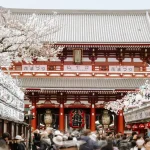
📷 Featured image by CoinView App on Unsplash.